
Six months ago, I had zero clients, zero portfolio, and zero confidence that anyone would pay me to edit their content. I’d dabbled with a few video editing tools, found them overwhelming, and quietly gave up twice before finding Descript. What changed everything wasn’t skill , it was finding the right tool that made video editing services something I could actually offer without a film school background.
The real problem most beginners face isn’t a lack of talent. It’s that traditional video editing software has a brutal learning curve, and by the time you’ve watched your fifteenth tutorial, you’ve lost the motivation to actually start. If that sounds like you, I want to show you a different path.
This article breaks down exactly how I use Descript to offer video editing services to podcasters and content creators, what the income looks like realistically, and how you can start , even if you’ve never edited a single video in your life.
What Video Editing Services Actually Look Like in 2026
Let me explain what this business model looks like in plain English, because “video editing” sounds intimidating until you understand what clients actually need.
Most podcasters and YouTube creators don’t want to spend hours editing their own content. They’d rather record an episode and hand it off to someone who can clean it up, add captions, cut out the dead air, and deliver a finished file. That’s the video editing service you’re providing , and the demand for it is enormous right now.
Podcast editing is one of the most in-demand services in this space because the podcasting industry is still growing fast. Creators who produce best podcasts for motivation, business content, or educational series are constantly looking for reliable editors who can handle their weekly output so they can focus on recording.
The tool that made all of this click for me was Descript , specifically because it treats audio and video editing like a word processor. You see a transcript of the recording, and you edit the text to edit the media. Delete a sentence in the transcript, and that audio or video clip disappears. It’s the most beginner-friendly podcast editing software I’ve found.
How to Start Offering Video Editing Services with Descript
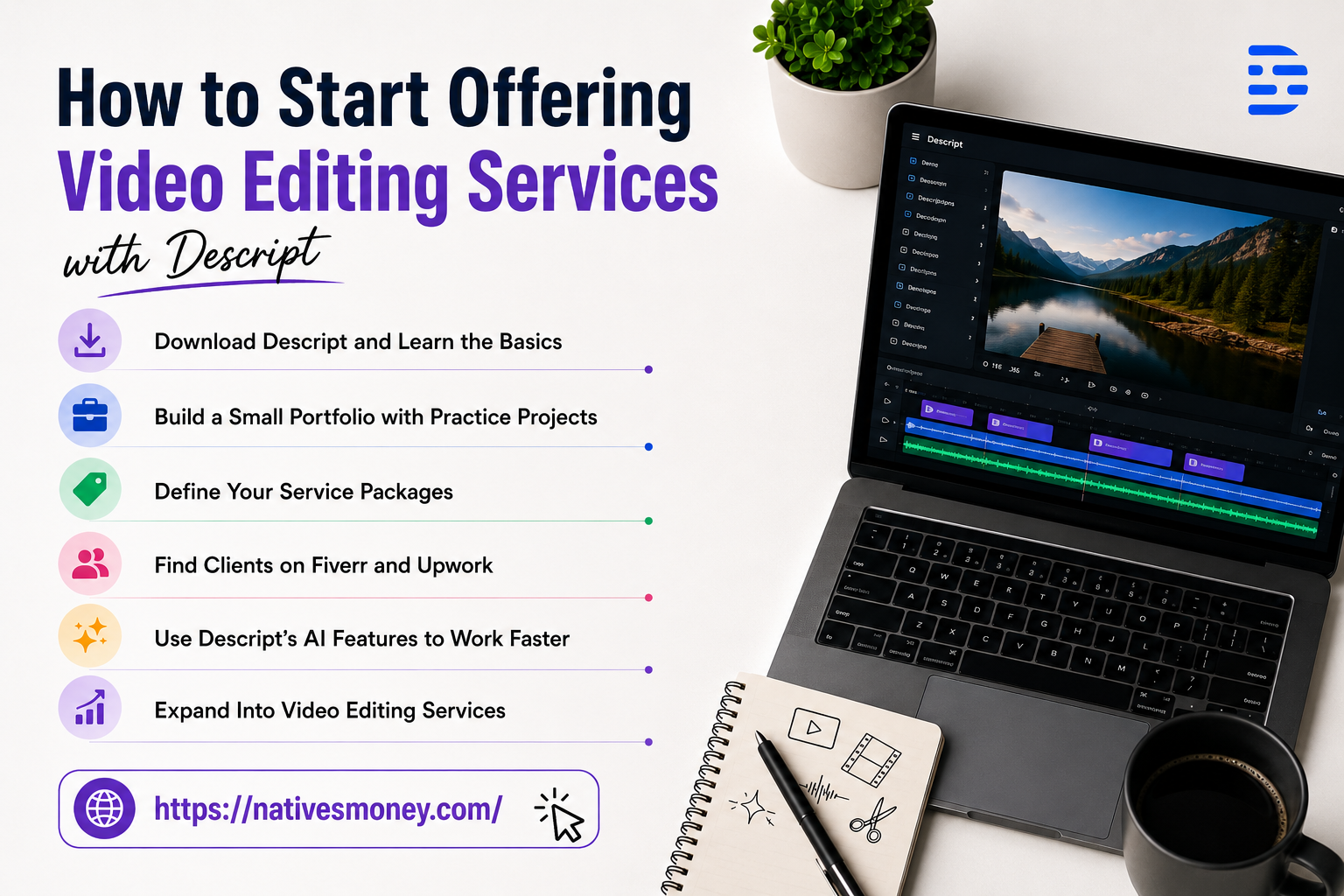
Here’s the actual process I followed from zero to landing my first paying clients.
Step 1: Download Descript and Learn the Basics
Descript has a free plan that includes most of the features you need to get started with basic podcast editing and video editing work. Download it, create a free account, and spend your first few days importing sample audio or video files and practicing the core workflow.
The text-based editing interface is genuinely intuitive , I was productive within a few days, not weeks.
Step 2: Build a Small Portfolio with Practice Projects
Before approaching clients, I edited three sample projects to use as portfolio pieces. I used publicly available podcast recordings (with permission or using Creative Commons licensed content) and edited them as if they were client work , removing filler words, cleaning up audio, and adding intro/outro music.
Having even two or three polished samples makes it dramatically easier to land your first real client when you start pitching.
Step 3: Define Your Service Packages Clearly
I offer three tiers of video editing services: basic podcast audio cleanup, full podcast episode editing with show notes, and video editing with captions and thumbnail delivery. Each tier has a clear price and a clear list of what’s included.
Clarity on what you offer , and what you don’t , saves you from scope creep and underpricing from the very beginning.
Step 4: Find Clients on Fiverr and Upwork
Both Fiverr and Upwork have active markets for podcast editing and general video editing services. I started on Fiverr because it lets you create “gig” listings that incoming clients can find, rather than requiring you to cold-pitch constantly.
My first listing was simple: basic podcast episode editing, remove filler words, clean audio, deliver in 48 hours. I priced it at $25 to get my first reviews, then raised my rates once I had social proof.
Step 5: Use Descript’s AI Features to Work Faster
Descript has an “overdub” feature that can remove filler words like “um” and “uh” automatically across an entire recording with one click. It also has auto-transcription, noise reduction, and studio sound processing built in.
These AI features are what separate Descript from traditional podcast editing software , they cut my editing time in half, which means I can take on more clients at higher margins without burning out.
Step 6: Expand Into Video Editing Services
Once I had a few podcast editing clients locked in, I started offering video editing as an add-on. Descript handles video editing with the same text-based interface, which made the transition easy. Adding YouTube video editing to my service menu doubled my average project value almost immediately.
Mistakes I Made Offering Video Editing Services
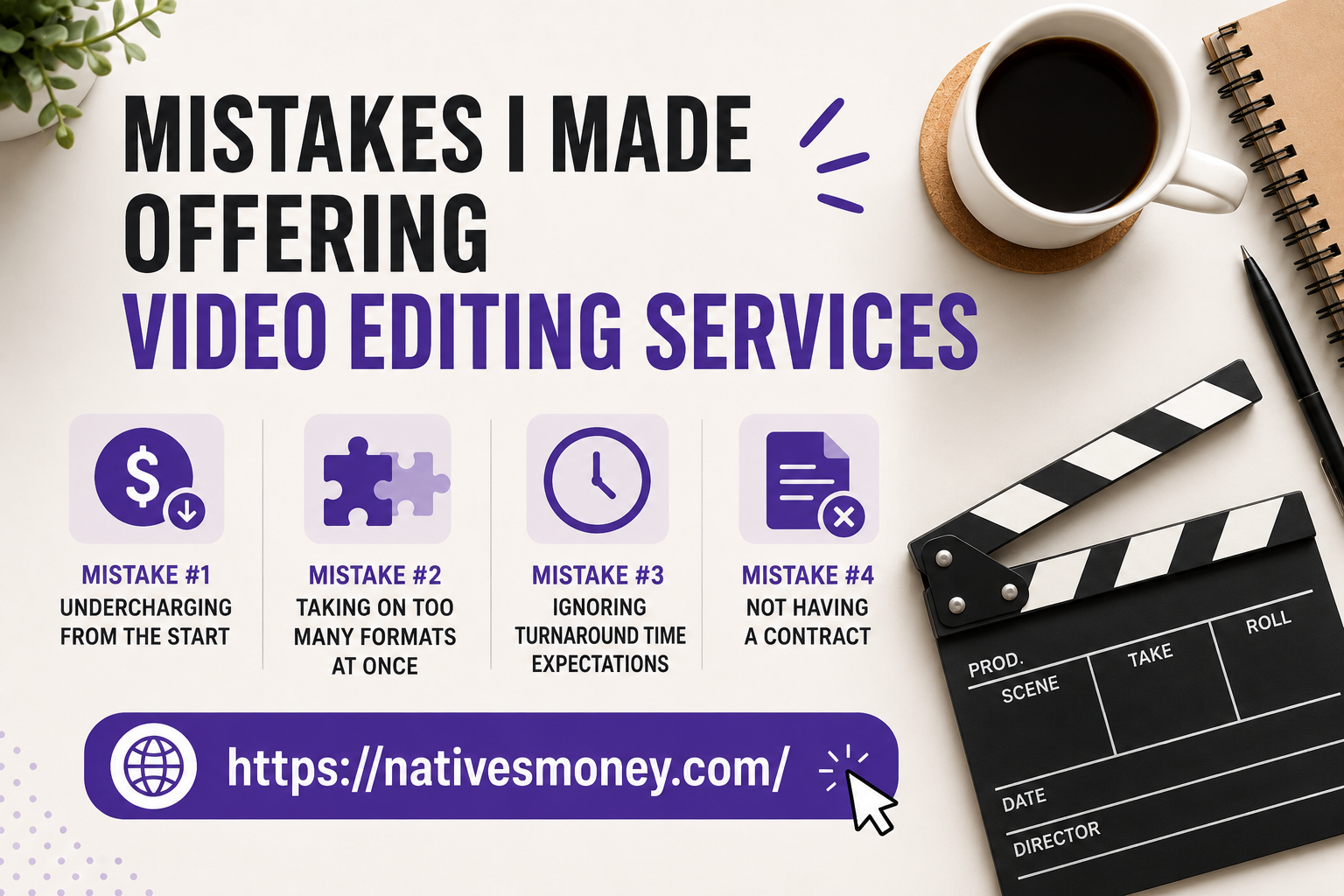
Mistake #1: Undercharging from the start. I priced my first podcast editing gig at $10 because I was scared no one would pay more. The problem is low prices attract difficult clients who treat the work like it’s disposable. Raising my rates actually attracted better, more respectful clients.
Mistake #2: Taking on too many formats at once. Early on I tried to offer video editing services for YouTube videos, podcast episodes, TikTok clips, and webinar recordings all at once. I wasn’t great at any of them. Once I focused on podcast editing and YouTube video editing only, my quality improved and my delivery got faster.
Mistake #3: Ignoring turnaround time expectations. A client once asked for a 24-hour turnaround on a 90-minute podcast episode. I agreed because I needed the work, and I stayed up until 2am finishing it. Now I build realistic timelines into every proposal upfront , 48 to 72 hours is my standard for most projects.
Mistake #4: Not having a contract. I did two video editing projects early on with no written agreement. One client disputed what was included in the scope and tried to get additional work for free. A simple one-page freelance contract (easily found on LegalZoom or Bonsai) protects both parties and sets clear expectations from the start.
What to Realistically Expect from Video Editing Services Income
Let’s talk numbers honestly. My first month offering video editing services, I made $110 from three small projects. Not life-changing , but it was proof that people would actually pay me for this.
By month three, with a small base of repeat clients and better positioning on Fiverr, I was earning $600-900/month from podcast editing and video work combined. By month six, I crossed $1,200/month and started getting referral clients from existing ones, which is when the business started feeling real.
Full-time income potential exists, but it typically takes twelve to eighteen months of consistent client work to build the volume and reputation needed. Many people run video editing services as a side income alongside a day job until it grows enough to replace it.
On the US tax side, all freelance income is self-employment income, meaning you’re responsible for both the employee and employer portions of Social Security and Medicare tax. Set aside 25-30% of every payment in a dedicated savings account, and look into quarterly estimated tax payments to avoid penalties.
Best Tools and Resources for Getting Started
Here’s what I’d tell a friend who’s just starting to explore video editing services:
Descript is the essential tool , start with the free plan and upgrade to a paid tier once you’re taking on consistent client work. The AI features alone are worth the monthly cost when you’re editing multiple episodes per week.
Fiverr is the best starting platform for beginners because buyers come to you rather than requiring you to do cold outreach. Create a clear, niche-focused gig listing and treat those first few reviews like gold.
Bonsai (US-based freelance platform) handles contracts, invoicing, and payment in one place , it’s specifically built for freelancers and saves a lot of administrative headaches as your client base grows.
If you’re looking for more ideas on building a service-based business from scratch, the Entrepreneurship section at Natives Money has real breakdowns from people who’ve built these kinds of income streams firsthand.
The Bottom Line
Video editing services are one of the most accessible freelance income streams available right now , especially with tools like Descript making the technical side approachable for complete beginners. Whether your focus is podcast editing, YouTube video editing, or both, there’s consistent demand and real money to be made if you’re willing to put in the work to build your skills and client base.
Start with one tool, build one portfolio, and land one client. That’s it. Once the flywheel starts spinning, video editing services can become a significant and sustainable income source. For more practical income-building content built from real experience, keep exploring nativesmoney.com.
Frequently Asked Questions
How do I start offering video editing services with no experience?
Start by learning Descript , its text-based editing interface is one of the most beginner-friendly approaches to video and podcast editing available. Build a small portfolio with practice projects, then list your video editing service on Fiverr or Upwork to find your first clients.
What is the best podcast editing software for beginners?
Descript is widely considered the best podcast editing software for beginners because it edits audio and video like a word processor , you edit the transcript, and the media changes accordingly. It also includes AI features like filler word removal and noise reduction that dramatically speed up the workflow.
How much can I charge for video editing services?
Rates for video editing services vary by project type and experience level. Beginners typically start at $25-50 per podcast episode and raise rates as they build reviews and reputation. Experienced editors offering full video editing service packages can charge $100-300+ per project depending on length and complexity.
Are there good podcasts for motivation about freelancing and building income?
Yes , some of the best podcasts for motivation around freelancing and income-building include “How I Built This” by Guy Raz, “The Smart Passive Income Podcast” by Pat Flynn, and “Side Hustle Nation” by Nick Loper. These are great listens while you’re building your video editing or podcast editing business.
How do I find clients for podcast editing as a beginner?
The fastest way to find podcast editing clients as a beginner is through Fiverr, where you can create a listing that attracts buyers searching for this video editing service directly. You can also reach out directly to small podcasters on social media , many independent podcast creators are actively looking for affordable, reliable editors.