
I spent years avoiding video content entirely because the idea of being on camera made my stomach turn. Meanwhile, I watched businesses around me clearly succeeding with video marketing while I stuck to text and static images, quietly convinced I was missing out on something I’d never be able to access. Then I found HeyGen.AI, and the whole equation changed.
HeyGen.AI lets you create professional-looking videos with a realistic AI avatar presenting your script , no camera, no actors, no studio, no awkward fifteenth take. The first time I generated a video and watched a polished AI presenter deliver my script flawlessly, I realized this wasn’t just a fun toy. It was a legitimate business tool I could turn into income.
This article walks through exactly how I use HeyGen.AI to create and sell AI avatar videos, the actual workflow from script to delivery, what clients pay for this kind of work, and the honest income numbers from my own experience. If you’ve been curious about making money with AI video tools but assumed it was too technical or too expensive to get into, keep reading.
What HeyGen.AI Actually Is (Explained Simply)
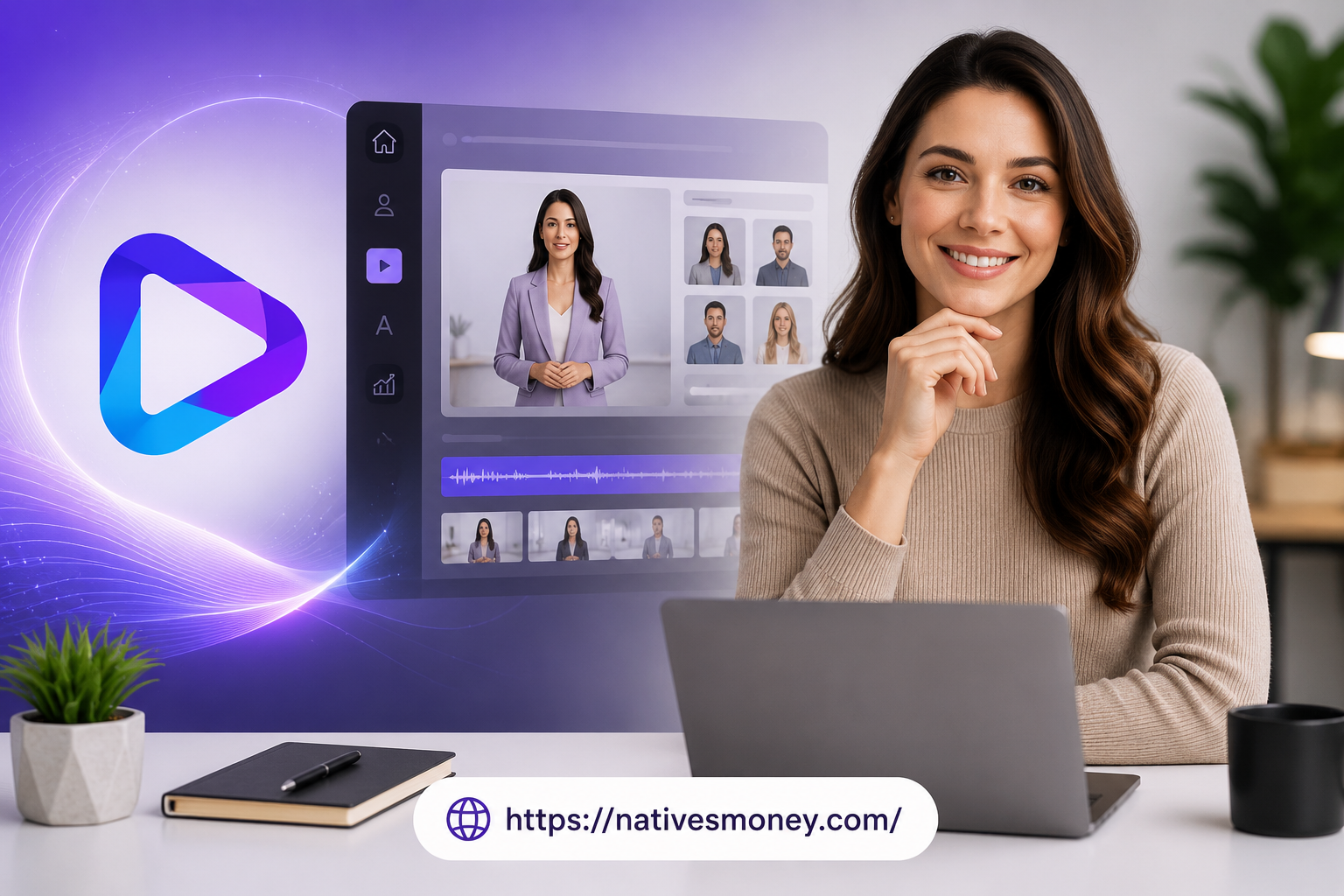
Let’s break this down in plain terms. HeyGen.AI is a platform that generates videos featuring a realistic AI avatar , a digital presenter , who speaks your script with natural lip-syncing, facial expressions, and tone. You type or paste in a script, choose an avatar (or create a custom one based on your own likeness, with consent), and the platform generates a finished video.
Think of it like having a professional spokesperson on call 24/7 who never needs scheduling, never asks for a higher rate, and can deliver content in dozens of languages without an accent. That’s the core value proposition that makes this a real business opportunity, not just a novelty.
HeyGen sits in a category with tools like Synthesia, but it’s particularly known for natural-looking avatars and an accessible interface for beginners. It’s different from a basic ai image to video generator free tool, which typically just adds motion effects to a static image , HeyGen actually generates a full talking avatar with synchronized speech, which is a much more complex and commercially valuable output.
How I Create and Sell AI Avatar Videos with HeyGen.AI
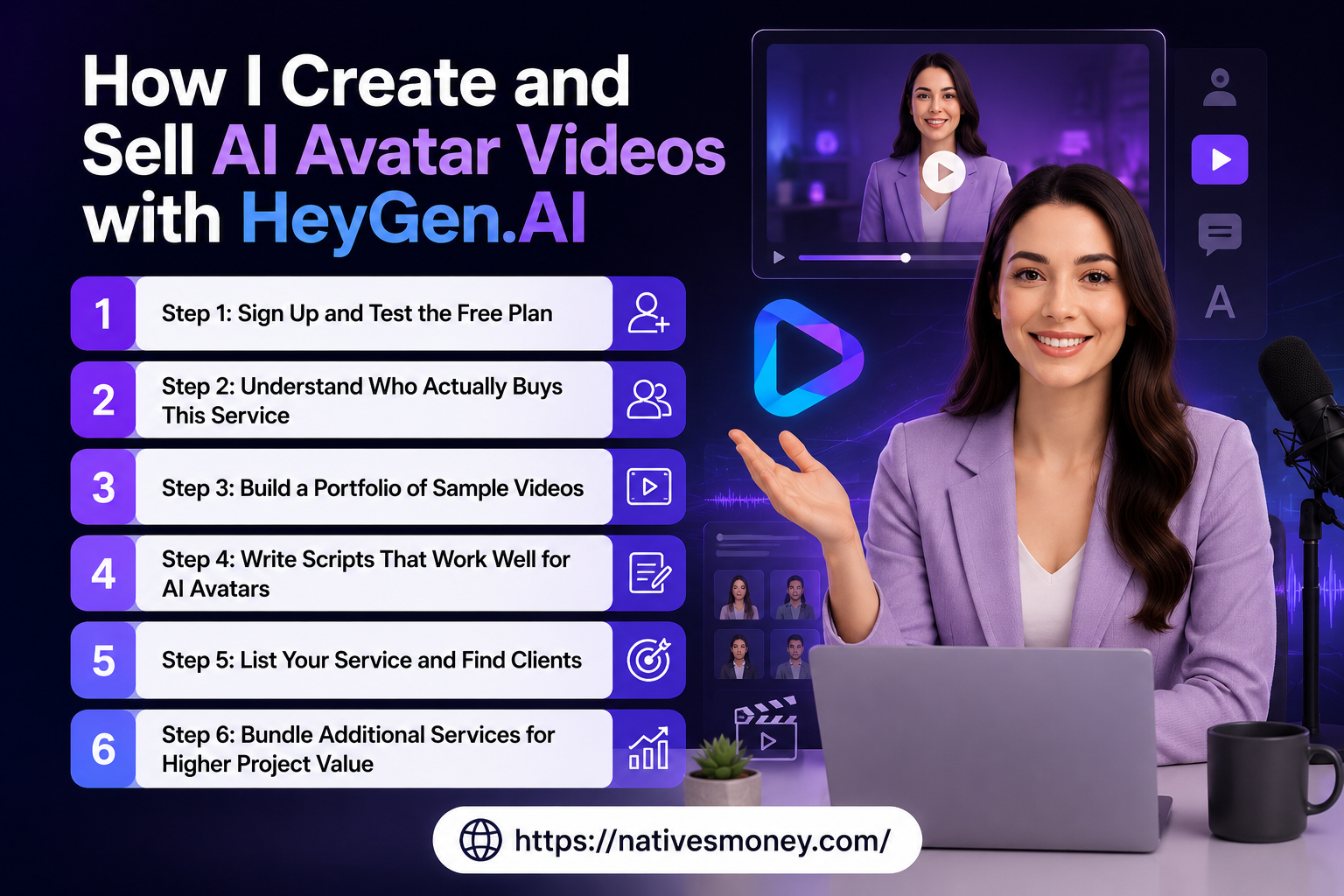
Here’s my actual process, broken down step by step.
Step 1: Sign Up and Test the Free Plan
HeyGen offers a free tier that includes limited monthly video credits, which is enough to learn the platform and create initial test videos. I spent my first week here, testing different avatars, voices, and script lengths to understand what produced the most natural, professional-looking output.
This exploration phase matters because not every avatar suits every type of content , a casual, friendly avatar works for social media content, while a more formal-looking avatar suits corporate training videos better.
Step 2: Understand Who Actually Buys This Service
Before pitching anyone, I researched who needs AI avatar videos and why. The main buyers I’ve found are small businesses needing product explainer videos, course creators who want polished presenter-style lessons without filming themselves, HR departments needing training content, and marketing agencies looking for scalable video production for multiple clients.
This is meaningfully different from a basic free image to video ai generator use case, where someone just wants to animate a single photo for fun or social content. HeyGen clients are usually businesses with a genuine commercial need for repeatable, professional video content.
Step 3: Build a Portfolio of Sample Videos
I created five sample videos across different use cases , a product explainer, a training module intro, a course lesson sample, a sales pitch video, and a social media announcement style clip. Each was 60-90 seconds, long enough to demonstrate quality without testing a potential client’s patience.
These samples became the core of my pitch ,far more convincing than describing the service in words alone. Including examples created with HeyGen.AI allowed potential clients to see the quality, realism, and possibilities of AI avatar videos before making a decision.
Step 4: Write Scripts That Work Well for AI Avatars
This took some practice. AI avatars deliver scripts more naturally when sentences are shorter and the pacing mimics natural speech rather than formal written language. I read every script aloud before generating the final video, listening for anything that would sound robotic or rushed when delivered by the avatar.
This single habit dramatically improved the quality of my finished videos compared to my earliest, more awkward attempts.
Step 5: List Your Service and Find Clients
I started on Fiverr with a simple gig: “Professional AI Avatar Video , Script to Finished Video in 48 Hours,” priced at $50 for videos up to 90 seconds. I also reached out directly to small course creators and local businesses I’d noticed using outdated or homemade video content.
Direct outreach converted better than I expected once I had a solid portfolio to share , a short email with two relevant sample videos attached got more responses than I anticipated. Showcasing high-quality examples created with HeyGen.AI helped potential clients understand the value of professional AI avatar videos and made the outreach more effective.
Step 6: Bundle Additional Services for Higher Project Value
Once I had consistent client work, I started bundling script writing (using ChatGPT for first drafts, then editing for the client’s voice) and basic video editing (adding captions, background music, and a logo overlay) alongside the core HeyGen avatar video.
Mistakes I Made Selling AI Avatar Videos
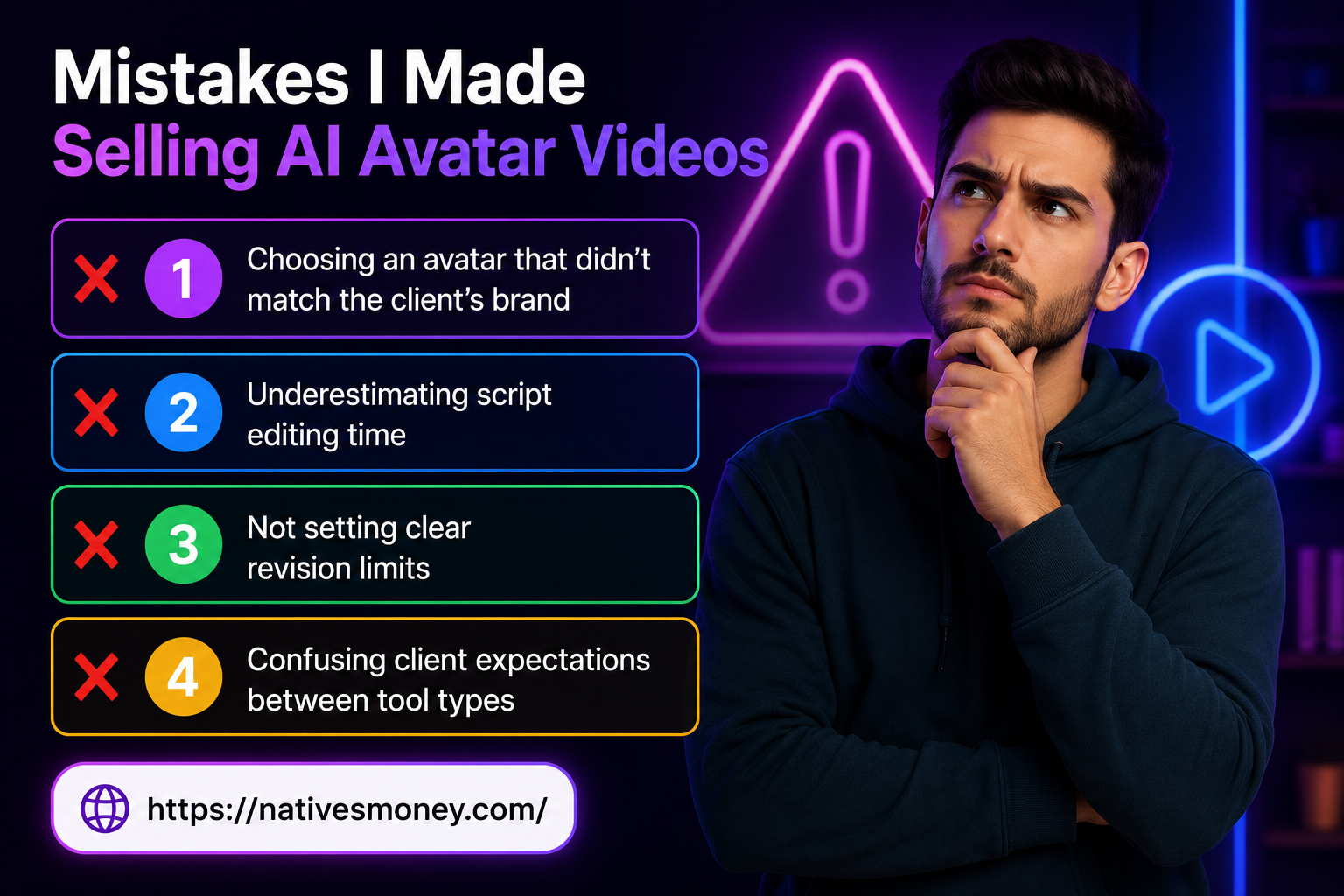
Mistake #1: Choosing an avatar that didn’t match the client’s brand. Early on, I used my personal favorite avatar for every project regardless of the client’s industry. A formal-looking avatar felt mismatched for a casual fitness brand client. Now I always discuss avatar style preferences before generating anything.
Mistake #2: Underestimating script editing time. I assumed scripts were the easy part and rushed through them. A poorly paced script makes even the best AI avatar sound stilted. I now budget real time for script refinement, not just video generation. With tools like HeyGen.AI, creating realistic AI avatar videos becomes more effective when the script, pacing, and delivery style are carefully optimized.
Mistake #3: Not setting clear revision limits. My first few projects had unlimited revisions built into the price, which led to scope creep and clients requesting endless small tweaks. I now include two rounds of revisions in my standard pricing, with additional rounds billed separately.
Mistake #4: Confusing client expectations between tool types. A potential client once asked for something closer to a basic free ai image to video generator result (simple photo animation) but I quoted them for a full HeyGen avatar production. Clarifying exactly what a client needs before quoting prevents this kind of mismatch.
What to Realistically Expect from HeyGen.AI Income
Let me share honest numbers from my own experience. In my first month offering AI avatar video services, I made $140 from three small Fiverr projects , proof of concept, not yet meaningful income.
By month three, with a refined portfolio and better positioning, I was averaging $500-750/month. By month six, with two recurring business clients needing monthly training or marketing video content, monthly income reached $1,000-1,500.
This income scales well because once you have a solid workflow, producing additional videos doesn’t take dramatically more time per project. On the US tax side, this counts as self-employment income , track every payment carefully and set aside 25-30% for taxes, since platforms like Fiverr don’t withhold anything for you. Once your net self-employment income crosses $400/year, you’re required to report it regardless of whether you receive a 1099 form.
Best Tools and Resources to Get Started

If you want to try building this income stream yourself, here’s where I’d start:
HeyGen.AI is obviously the core tool , start with the free plan to learn the platform, then upgrade once you’re taking on consistent client projects that justify the cost.
ChatGPT (free tier available) is excellent for drafting scripts quickly, which you then refine for natural pacing before generating the final avatar video.
Fiverr remains the most accessible starting platform for landing your first AI avatar video clients, especially before you’ve built a referral network of your own.
For more on building service-based income streams using AI tools, the Entrepreneurship section at Natives Money has more honest breakdowns worth exploring.
The Bottom Line
HeyGen.AI turned video content creation from something I actively avoided into a real income stream , no camera, no studio, and no need to overcome my own camera shyness. Making money with AI avatar video tools is genuinely accessible right now, especially compared to the cost and complexity of traditional video production for businesses that need this kind of content regularly.
If you’re ready to try this yourself, start with HeyGen’ s free plan, build three to five sample videos this week, and pitch your first client before the month is out. For more practical, experience-based income strategies, keep exploring nativesmoney.com , built from what’s actually worked, not just theory.
Frequently Asked Questions
What is HeyGen.AI and how does it work?
HeyGen.AI is a platform that generates videos featuring a realistic AI avatar speaking a script you provide, complete with natural lip-syncing and tone. Users type or paste a script, choose an avatar and voice, and the platform produces a finished, professional-looking video without any filming required.
Is there a free AI image to video AI generator option within HeyGen?
HeyGen.AI offers a free tier with limited credits, which functions differently from a basic free image to video AI generator that simply animates a static photo. HeyGen’ s free plan lets you generate full avatar-presenter videos with synchronized speech, which is a more advanced output than simple image animation tools.
How is HeyGen different from a basic AI image to video generator free tool?
A basic ai image to video generator free tool typically adds subtle motion effects to a single photo, while HeyGen.AI creates a full talking avatar that delivers your script with natural speech and expressions. HeyGen is built for commercial use cases like training videos and marketing content, not casual photo animation.
Can I really start making money with AI avatar videos as a beginner?
Yes , making money with AI avatar videos through HeyGen.AI is accessible to beginners since the platform doesn’t require video production experience. Most people start by building a small portfolio on the free plan, then offering services on Fiverr or directly to small businesses needing training or marketing video content.
What is the best free image to video AI generator for beginners exploring this space?
For beginners wanting to explore a free image to video AI generator before committing to a paid avatar tool, HeyGen.AI’s free tier is a strong starting point since it includes enough credits to test full avatar video creation. This lets you evaluate quality and workflow before investing in a paid plan or pitching clients.